
Dermatology clinic software for skin findings, injectables and photos
Record lines, pigmentation, acne scars and hyperhidrosis on a realistic 3D face and body, treat with injectables tracked to the vial, and follow progress with aligned before-and-after photos.
- 3D chart
- Before & after photos
- Injection mapping
Built for your specialty
What's built for Dermatology
Skin findings where they are
16 finding types on 67 regions of the face and body: lines, volume loss, pigmentation, acne scars, hyperhidrosis and more.
Injectables tracked to the vial
Product, lot, expiry, dilution and dose on every point, billed per unit or per syringe.
Before-and-after photos
Standard angles, a ghost overlay to repeat the shot, and a slider that lines the faces up.
Session packages
Sell a course of sessions on the invoice and keep track of the sessions used and left.
Consent and records
Consent signed on the clinic's screen in Arabic or English, and a printed treatment record.
Follow-ups that come back
Touch-ups due on the dashboard, with a WhatsApp message ready to send in one tap.
3D chart
See the skin where it is
Dermatology uses Tadawi's aesthetic chart: a realistic face and body in the visit's Chart step, where findings, injections and photos meet.
- Female and male figures, face or body
- Muscle and vessel maps under the skin for safer injections
- Every visit's findings and treatments in the History mode
- Consultations use the full Tadawi visit: diagnosis, orders and prescriptions
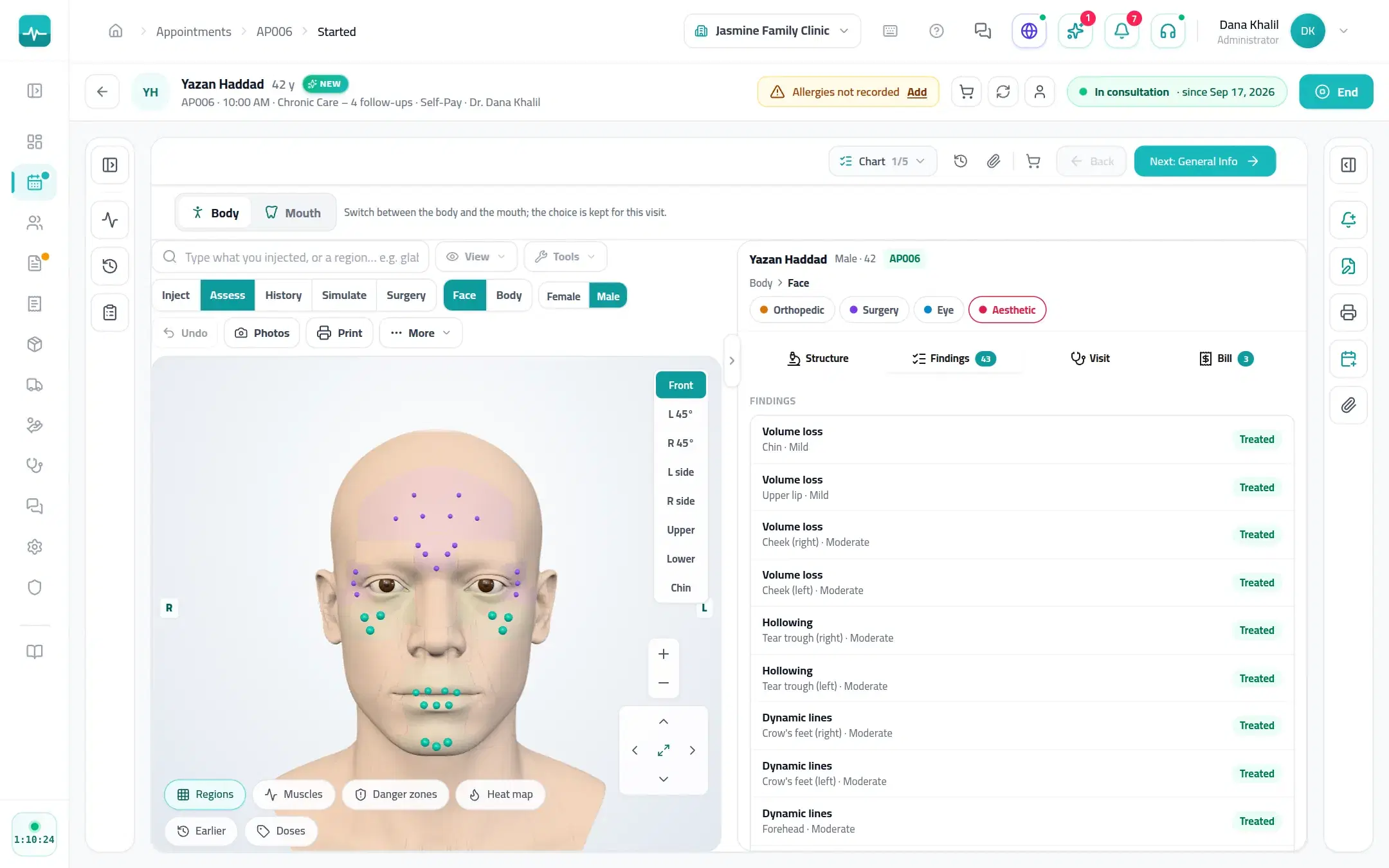
Inside the Doctor Portal
What it looks like
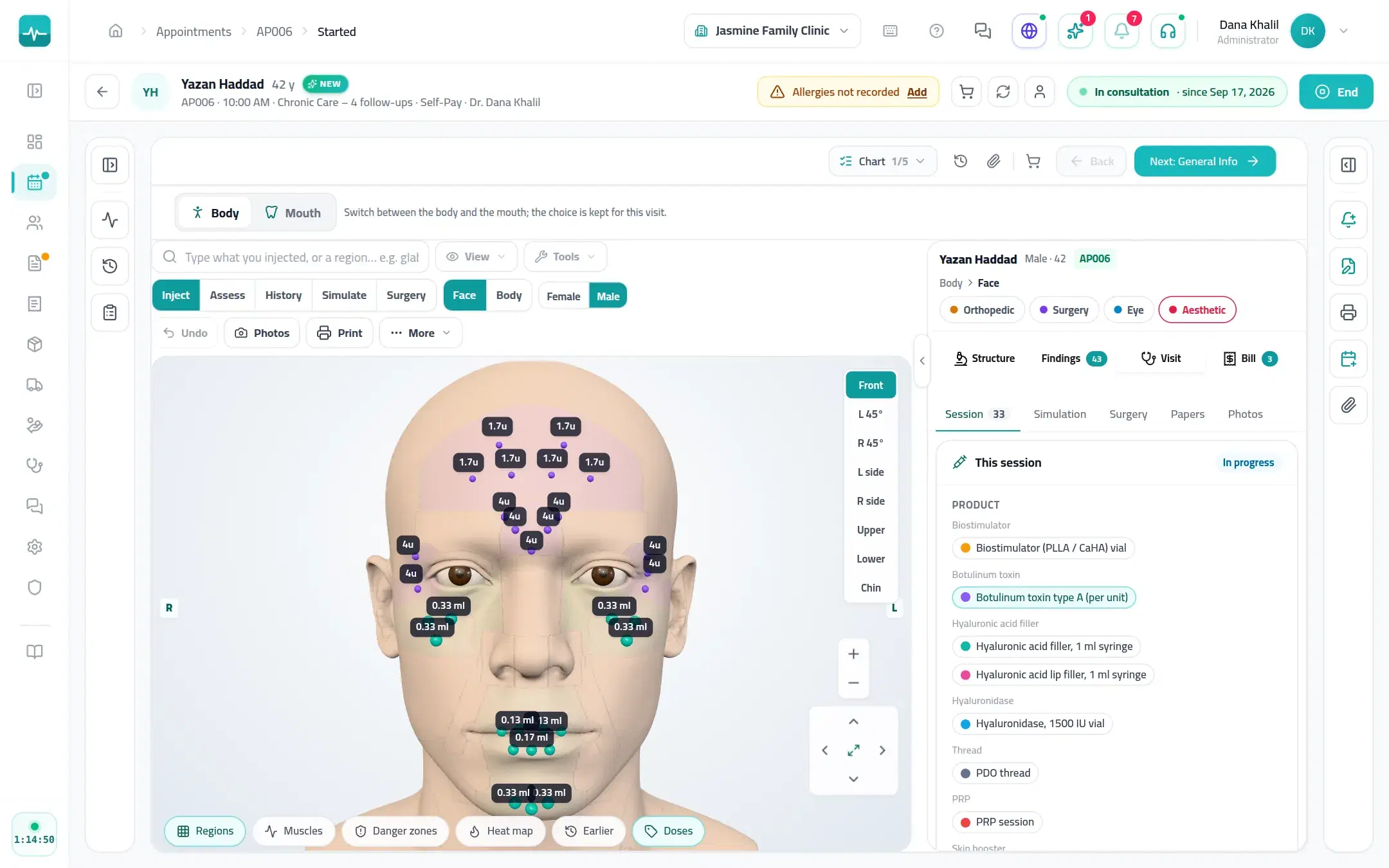
Real Doctor Portal screens, shown with a demo patient.
A visit, step by step
How a visit runs
Assess
Findings on the face or body, where they are.
Photograph
Photos at the standard angles, repeated with the ghost overlay at every visit.
Treat
Injections and sessions recorded and billed, and counted against the package.
Follow up
Touch-ups due, and before-and-after photos side by side.
On every Tadawi clinic
And everything else your clinic runs on
The specialty tools sit inside the same Tadawi every clinic uses.
- SchedulingDay, week and all-doctor views, drag to reschedule, and a timer on everyone waiting.
- Online bookingPatients find you on Tadawi Connect and book the times you open, or send a request you approve.
- AI in the visitDictate the visit and get a safety check on allergies, duplicates and doses before you prescribe (on plans with AI).
- Prescriptions and lettersPrint or send prescriptions, sick leave and letters with your signature and a QR code to check them.
- Invoices and insuranceInvoices, payments and the insurer's share on the visit, plus packages, expenses and supplier bills.
- WhatsApp in one tapReminders, prescriptions and plans from ready templates, sent from the visit (on plans with WhatsApp).
Questions about Tadawi for Dermatology
Run your clinic on Tadawi
Set up online, or book a demo and we'll walk you through it with cases like yours. Tadawi switches the specialty tools on for your team.