
Surgical clinic software with the whole body in 3D
Mark lesions, masses and incisions on the exact structure, from the skin down to organs, vessels and nerves. Then plan the operation with its approach and urgency, and sign the operative record.
- 3D chart
- Operative records
- Treatment plans
Built for your specialty
What's built for General surgery
Over 2,500 structures
Skin, organs, vessels and nerves, with arterial, venous, portal, lymphatic and nervous views, section cuts, and isolate, hide and search.
Markers with their evidence
Lesion, mass, incision, drain, stoma, biopsy, specimen and more, recorded before, during or after surgery with the source (exam, CT, MRI, ultrasound, endoscopy, theatre, pathology) and the size.
Surgical plans
Procedure, target and side, approach, urgency, date and indication. Cholecystectomy, appendicectomy, hernia repair, thyroidectomy and more are ready.
Signed operative records
Anaesthesia and what was found in theatre, signed by the surgeon. Changes after signing are kept as new versions.
Planned work on the bill
Each plan carries the service it is billed with, so the operation reaches the visit's invoice without typing it again.
Printed papers
A surgical summary, the operation note and the surgical plan, ready to print.
3D chart
Mark it on the organ, not in the notes
The surgery chart opens in the visit's Chart step on the full 3D body. Peel down to the organ, cut through it if you need to, and mark what you found.
- Sagittal, coronal and axial cuts, and any structure isolated on its own
- Every marker versioned: suspected, confirmed, resolved
- A plan is completed only through a signed operation
- A read-only history of every marker and operation
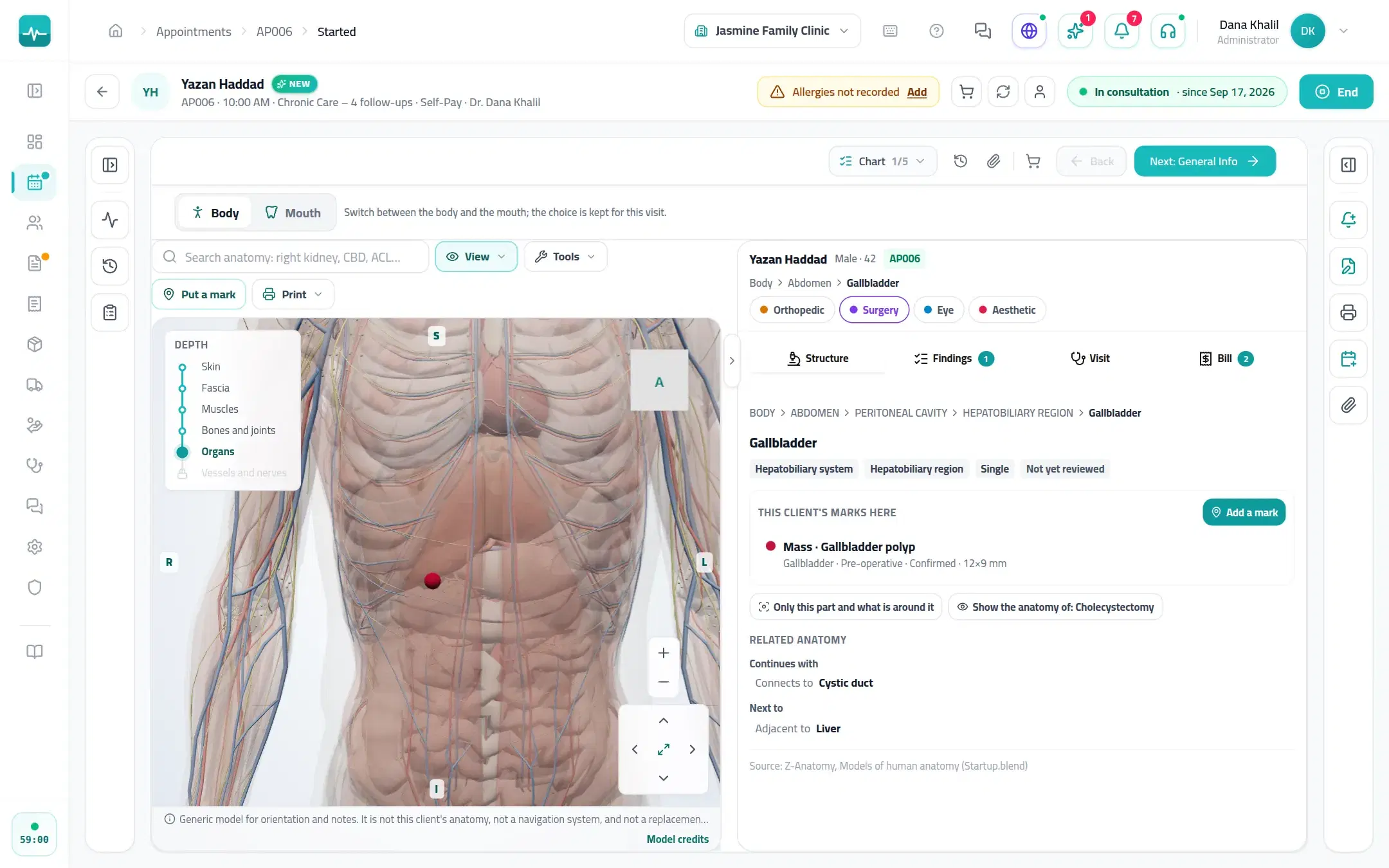
Inside the Doctor Portal
What it looks like
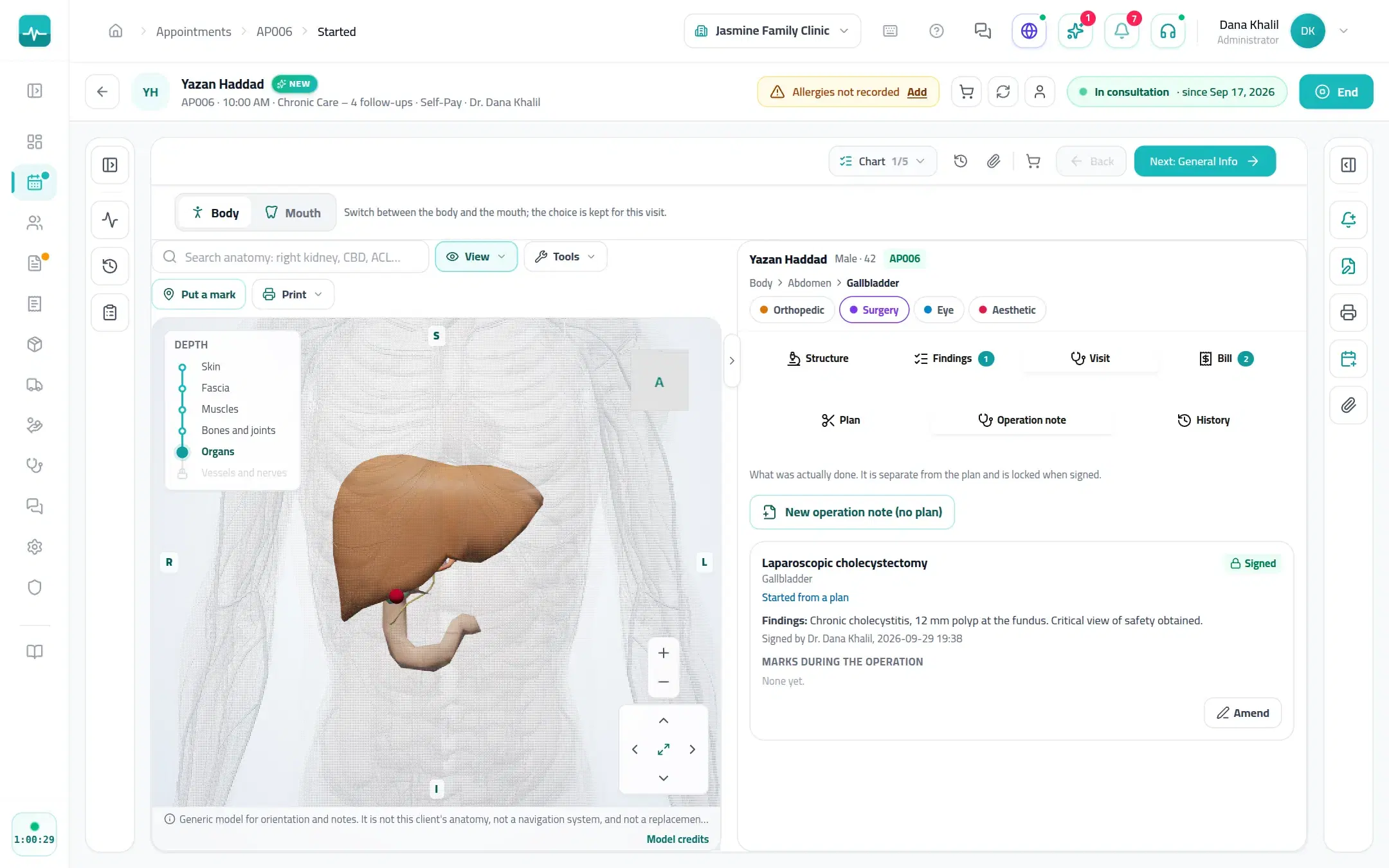
Real Doctor Portal screens, shown with a demo patient.
A visit, step by step
How a visit runs
Mark
Mark the lesion or mass on the organ, with its source and size.
Plan
Procedure, approach, urgency, date and the billed service.
Operate and sign
Record the anaesthesia and findings, and sign the operative record.
Follow up
Post-op and follow-up markers on the same body.
On every Tadawi clinic
And everything else your clinic runs on
The specialty tools sit inside the same Tadawi every clinic uses.
- SchedulingDay, week and all-doctor views, drag to reschedule, and a timer on everyone waiting.
- Online bookingPatients find you on Tadawi Connect and book the times you open, or send a request you approve.
- AI in the visitDictate the visit and get a safety check on allergies, duplicates and doses before you prescribe (on plans with AI).
- Prescriptions and lettersPrint or send prescriptions, sick leave and letters with your signature and a QR code to check them.
- Invoices and insuranceInvoices, payments and the insurer's share on the visit, plus packages, expenses and supplier bills.
- WhatsApp in one tapReminders, prescriptions and plans from ready templates, sent from the visit (on plans with WhatsApp).
Questions about Tadawi for General surgery
Run your clinic on Tadawi
Set up online, or book a demo and we'll walk you through it with cases like yours. Tadawi switches the specialty tools on for your team.