
Dental clinic software with a 3D chart of every tooth
Chart caries, crowns, root canals and implants on the right tooth and surface, turn them into a priced treatment plan, and send the patient a link to accept it, all from one dental screen.
- 3D chart
- Treatment plans
- Perio chart
- Dental lab
- Consent forms
Built for your specialty
What's built for Dentistry
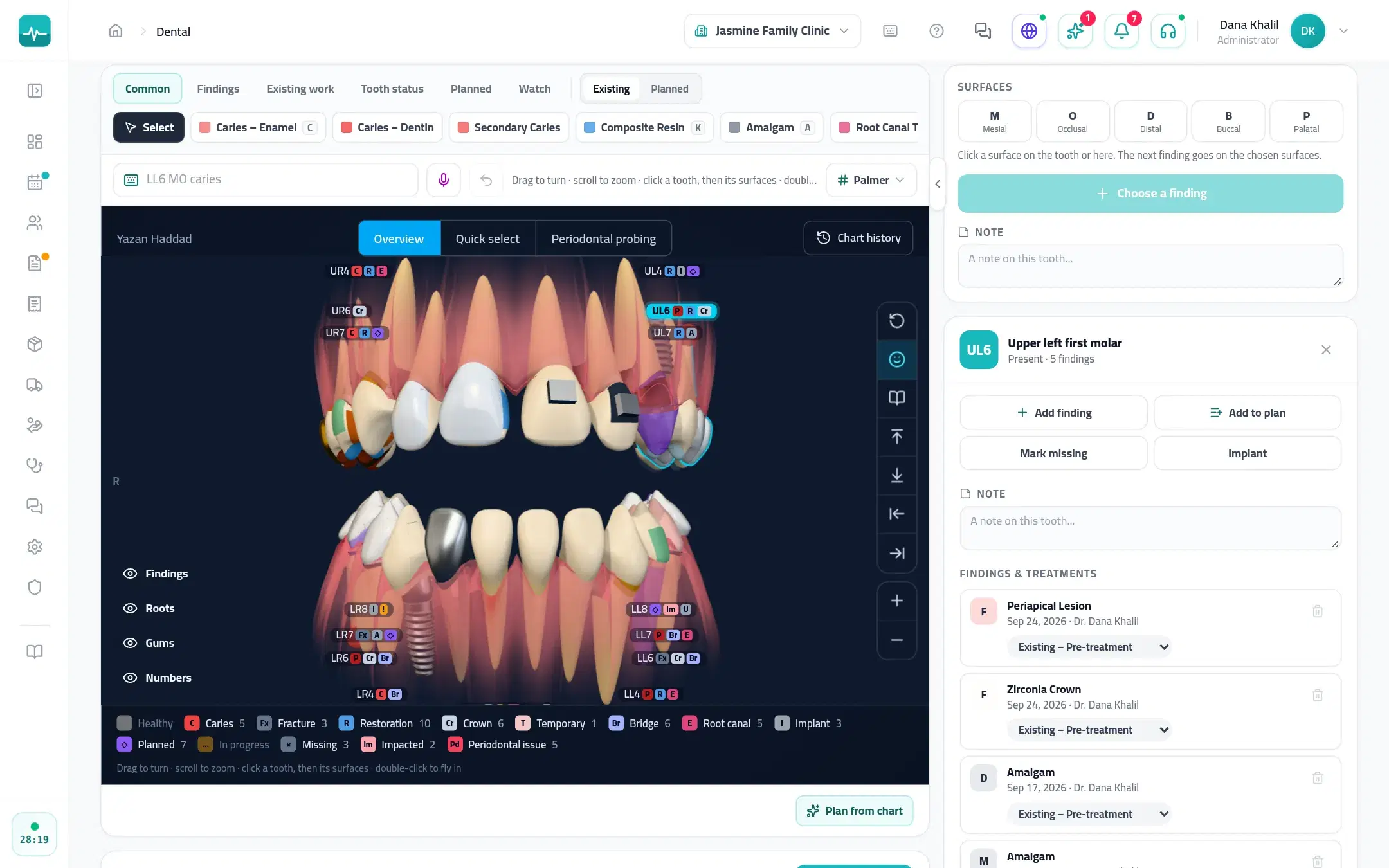
A 3D chart, tooth by tooth
Permanent, primary and mixed teeth with 49 finding types, from caries to implants. Number teeth in FDI, Universal or Palmer, or type “36 MO caries” to chart in one line.
Plans patients can accept
Phases and prices drawn from the chart, with the insurer's share. The patient opens a link, sees their mouth and the prices, and accepts with their name and signature.
Perio charting
Six sites per tooth (pocket depth, gum margin, bleeding and plaque), entered from the keyboard, with attachment loss and bleeding percentage worked out for you.
X-rays and intraoral photos
X-rays arrive from your X-ray software's save folder through Tadawi Agent on the chair computer. Intraoral cameras work in the browser, and files can be uploaded.
Dental lab cases
A lab slip with the teeth, work, material and shade; sent, back, try-in, fitted or remade; and one board showing what is late or due.
Chairs and recalls
A day board per chair that never double-books, a today list at the chair, and the next recall set when treatment is finished.
3D chart
The whole mouth in 3D, inside the visit
Open the dental chart from the visit or the patient's file. Turn the mouth, pick a tooth and a surface, and mark what you see; every visit's findings stay on the chart.
- Caries, restorations, crowns, root canals, bridges, implants, missing and impacted teeth, and planned work
- On plans with AI, dictate findings and plan items, check them, then let Tadawi enter them
- An assistant on a tablet works on the same chart live, and their findings wait for your review
- The printed chart summary carries the 3D views, beside the visit summary, plan estimate and lab slip
Inside the Doctor Portal
What it looks like
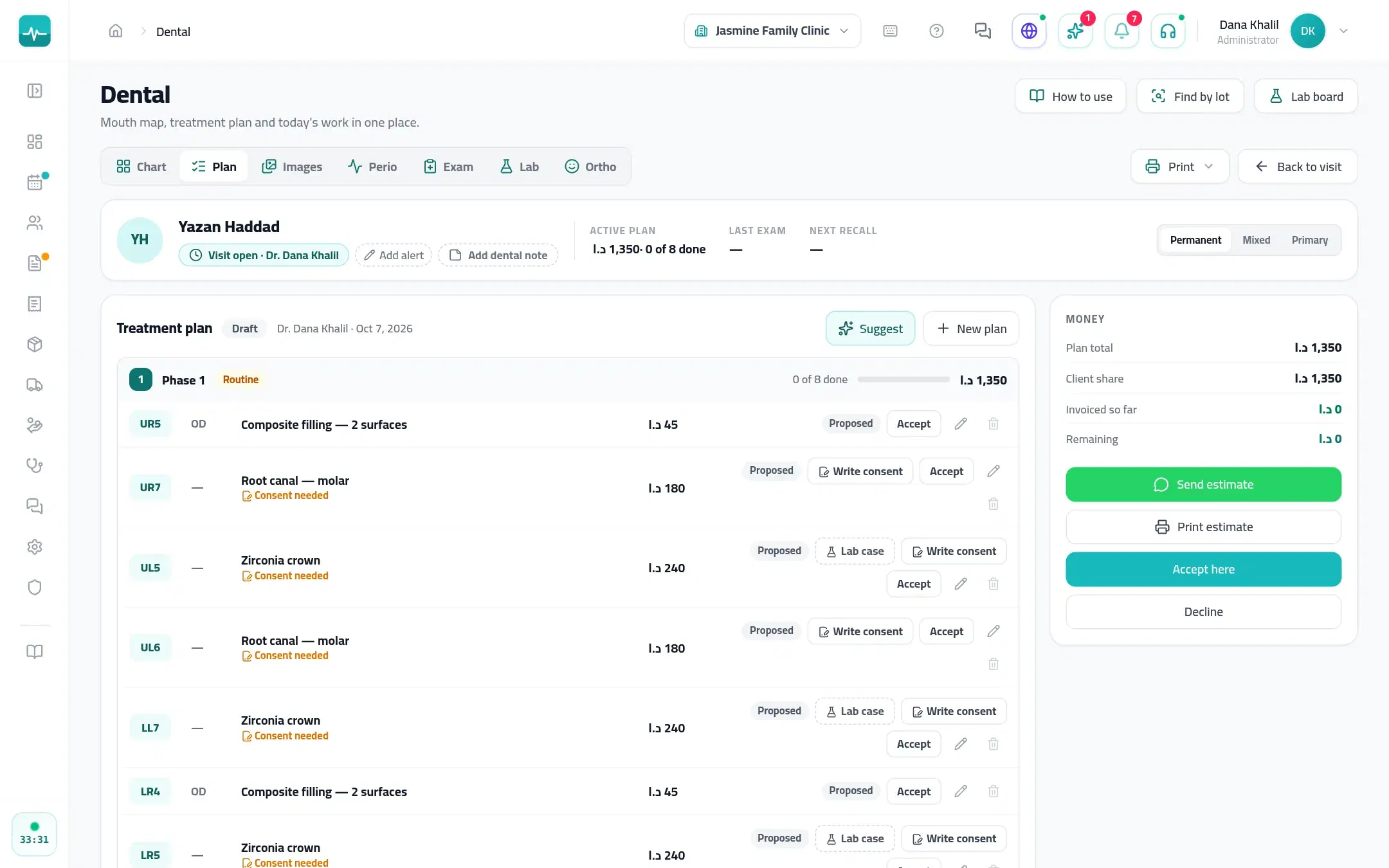
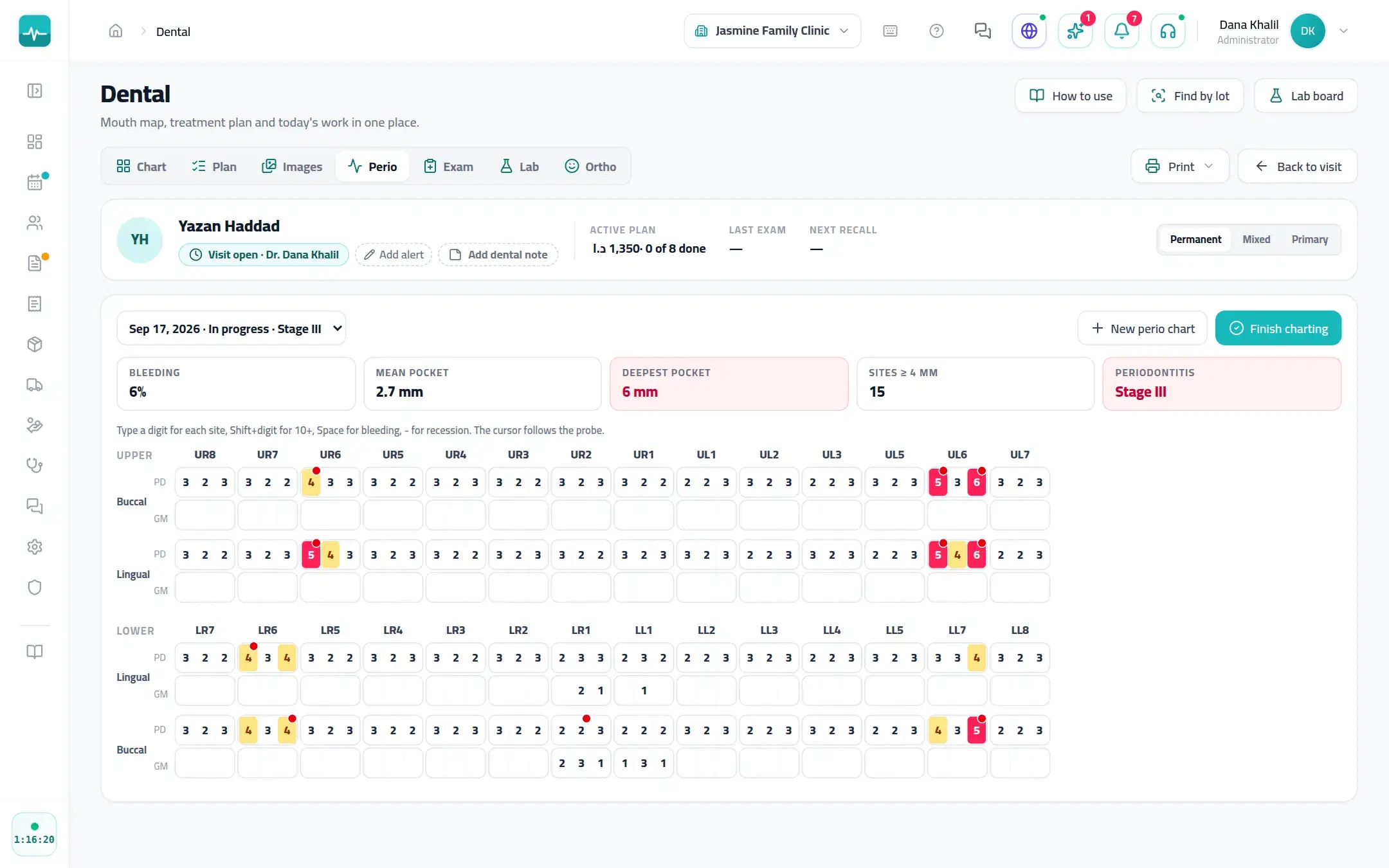
Real Doctor Portal screens, shown with a demo patient.
A visit, step by step
How a visit runs
Examine and chart
Mark findings by tooth and surface on the 3D mouth, or type them.
Plan and price
Turn the findings into a phased plan with prices and the insurer's share.
The patient accepts
Send the plan by WhatsApp or print it; the patient accepts with their name and signature.
Treat and recall
Mark today's work done, bill it, and set the next recall.
On every Tadawi clinic
And everything else your clinic runs on
The specialty tools sit inside the same Tadawi every clinic uses.
- SchedulingDay, week and all-doctor views, drag to reschedule, and a timer on everyone waiting.
- Online bookingPatients find you on Tadawi Connect and book the times you open, or send a request you approve.
- AI in the visitDictate the visit and get a safety check on allergies, duplicates and doses before you prescribe (on plans with AI).
- Prescriptions and lettersPrint or send prescriptions, sick leave and letters with your signature and a QR code to check them.
- Invoices and insuranceInvoices, payments and the insurer's share on the visit, plus packages, expenses and supplier bills.
- WhatsApp in one tapReminders, prescriptions and plans from ready templates, sent from the visit (on plans with WhatsApp).
Questions about Tadawi for Dentistry
Run your clinic on Tadawi
Set up online, or book a demo and we'll walk you through it with cases like yours. Tadawi switches the specialty tools on for your team.